
PR この記事には広告(アフィリエイトリンク)が含まれています。 詳細
おさらい
前回は、Nuxt.jsプロジェクトでsassを取り扱えるようにカスタマイズしました。
 関連記事
【sass導入編】今流行りの「Nuxt.js」を使ってサーバーサイドレンダリング(SSR)をしてみよう【Vue.js】
IT
Docker
Mac
Node.js
Vue.js
関連記事
【sass導入編】今流行りの「Nuxt.js」を使ってサーバーサイドレンダリング(SSR)をしてみよう【Vue.js】
IT
Docker
Mac
Node.js
Vue.js今回はpugを使えるようにカスタマイズしていこうと思います♪
pubとは
What’s?
Pugとは、HTMLを書くためのJavaScriptテンプレートエンジンです。
以前はJadeとも呼ばれていました。
The general rendering process of Pug is simple. pug.compile() will compile the Pug source code into a JavaScript function that takes a data object (called “locals”) as an argument. Call that resultant function with your data, and voilà!, it will return a string of HTML rendered with your data.Getting Started – Pug
記述量が爆発的に減る
このPugですが、なにが良いかというとHTMLの記述量がかなり少なくなるという点です。
doctype html
html(lang="en")
  head
    title= pageTitle
    script(type='text/javascript').
      if (foo) bar(1 + 5)
  body
    h1 Pug - node template engine
    #container.col
      if youAreUsingPug
        p You are amazing
      else
        p Get on it!
      p.
        Pug is a terse and simple templating language with a
        strong focus on performance and powerful features.
<!DOCTYPE html>
<html lang="en">
  <head>
    <title>Pug</title>
    <script type="text/javascript">
      if (foo) bar(1 + 5)
    </script>
  </head>
  <body>


# Pug - node template engine


    <div id="container" class="col">
      <p>You are amazing</p>
      <p>Pug is a terse and simple templating language with a strong focus on performance and powerful features.</p>
    </div>
  </body>
</html>
タグを使わない代わりに、改行やインデントを利用してコードを書いていきます。
これにより閉じタグが不要になり結果として記述量の大幅削減が実現出来ています。
より詳しい記述方法については公式ドキュメント を読んでみると良いでしょう♪
Hamlの影響を受けている
前述の通り、PugはJST(JavaScript Templates)の一種です。
また、Ruby On Railsのテンプレートエンジンとして有名なHamlと呼ばれるHTMLテンプレートエンジンの影響を受けたと言われています。
Beautifully DRY, well-indented, clear markup: templating haiku.Haml
こちらもタグではなくインデントによる記法が特徴的で、記述量が少なくなることで人気を博しました。
Nuxt.jsもPugを簡単に導入可能
そして、Nuxt.jsももちろん簡単にPugを導入する事が可能です。
それでは早速導入していきましょう。
手順
必要ライブラリのインストール
まずは、yarnを使って必要ライブラリを追加していきましょう。
yarn add v1.16.0
[1/4] Resolving packages...
[2/4] Fetching packages...
info fsevents@2.0.7: The platform "linux" is incompatible with this module.
info "fsevents@2.0.7" is an optional dependency and failed compatibility check. Excluding it from installation.
info fsevents@1.2.9: The platform "linux" is incompatible with this module.
info "fsevents@1.2.9" is an optional dependency and failed compatibility check. Excluding it from installation.
[3/4] Linking dependencies...
warning " > eslint-loader@2.1.2" has unmet peer dependency "webpack@>=2.0.0 <5.0.0".
warning " > sass-loader@7.1.0" has unmet peer dependency "webpack@^3.0.0 || ^4.0.0".
[4/4] Building fresh packages...
success Saved lockfile.
success Saved 33 new dependencies.
info Direct dependencies
├─ pug-plain-loader@1.0.0
└─ pug@2.0.3
info All dependencies
...
(略)
...
Done in 109.83s.
無事インストール完了です♪
テンプレートファイルをpug形式に変更
次に、index.vueファイルをpug形式に書き換えていきましょう。
<template lang="pug">
  section.container
    div
      app-logo
      h1.title.scoped--sample
        | Demo
      h2.subtitle
        | Demo Project
      .links
        a.button--green(href='https://nuxtjs.org/', target='_blank') Documentation
        a.button--grey(href='https://github.com/nuxt/nuxt.js', target='_blank') GitHub
</template>
...
(略)
...
確認
準備はたったこれだけです。
実際にサーバーを起動してアクセスしてみましょう。
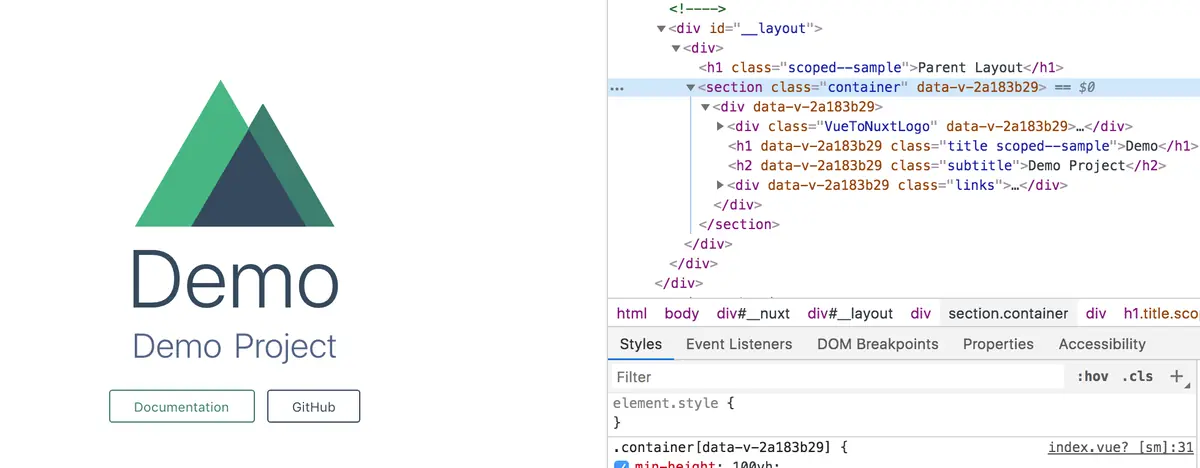
正常に描写されましたね♪
終わりに
今回は依存ライブラリさえインストールしてしまえば、nuxt.config.jsに手を加えることなくpugの導入が出来てしまいます。
生のHTMLを書くメリットはほとんど無いと思うので、Nuxt.jsを使っているのであれば是非Pugを使って記述をしてみてはいかがでしょうか♪